Task management software that closes every ticket
Every request becomes a ticket, routed to the right department and tracked to closure with checklists and deadlines.
How It Works
How task management works
Simple workflows that match how you actually work.
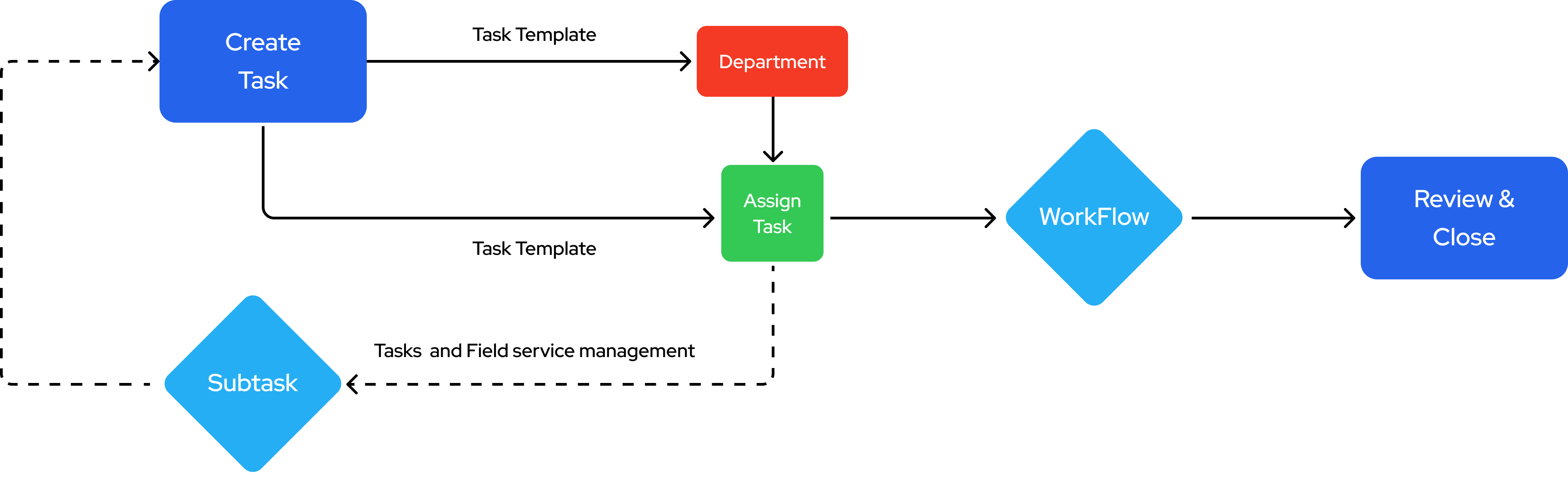
Create Task
Create tasks with templates and assign to departments
Assign Task
Assign tasks to team members with proper delegation
Workflow
Execute tasks through customizable workflow processes
Review & Close
Review completed tasks and close with quality assurance
Key Features
Complete Task & Ticketing Management Features
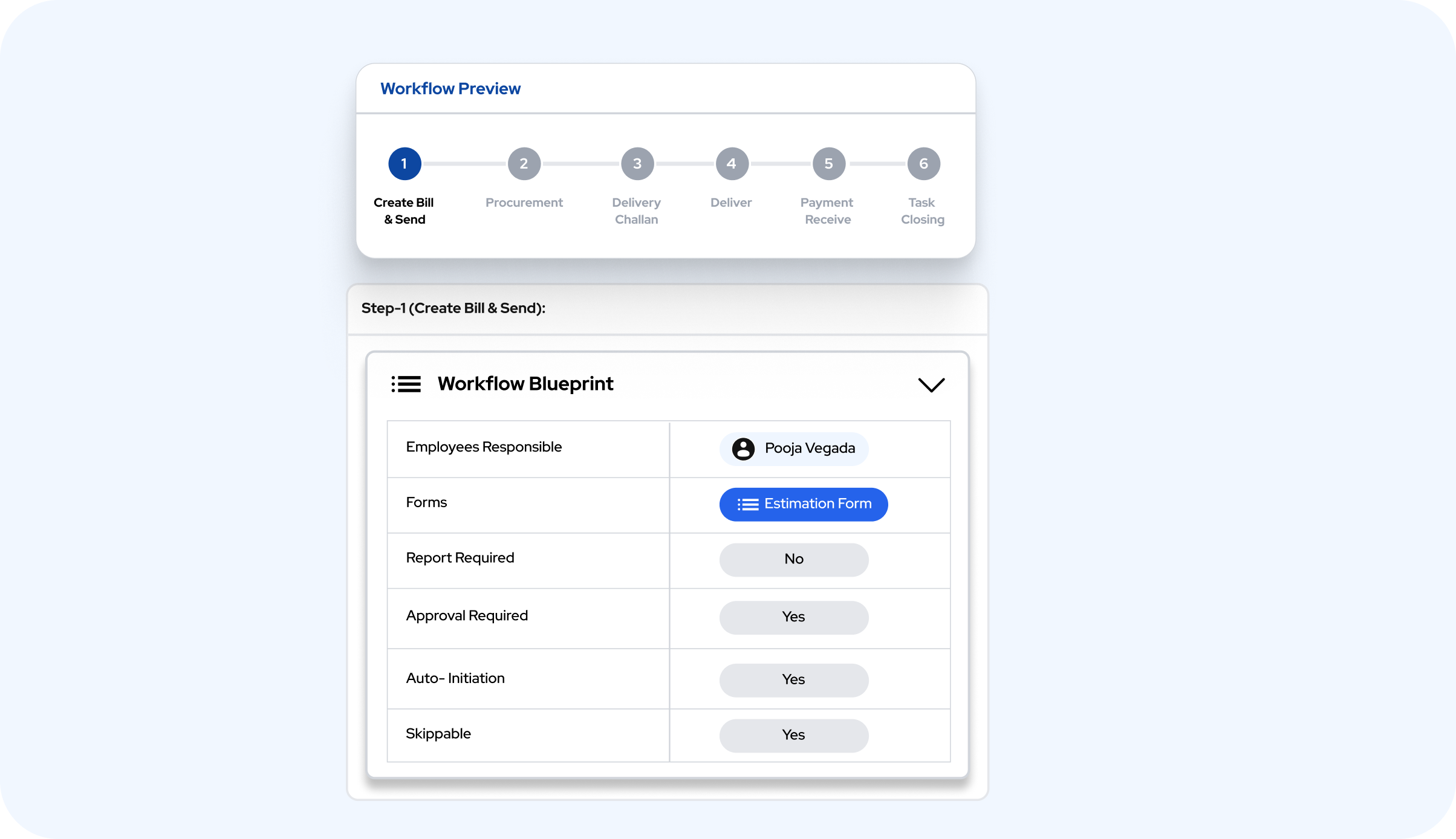
Customizable Workflow
Set up workflows that match how your business actually works. Create task templates, define who approves what, and automate task assignments so work flows naturally through your team.
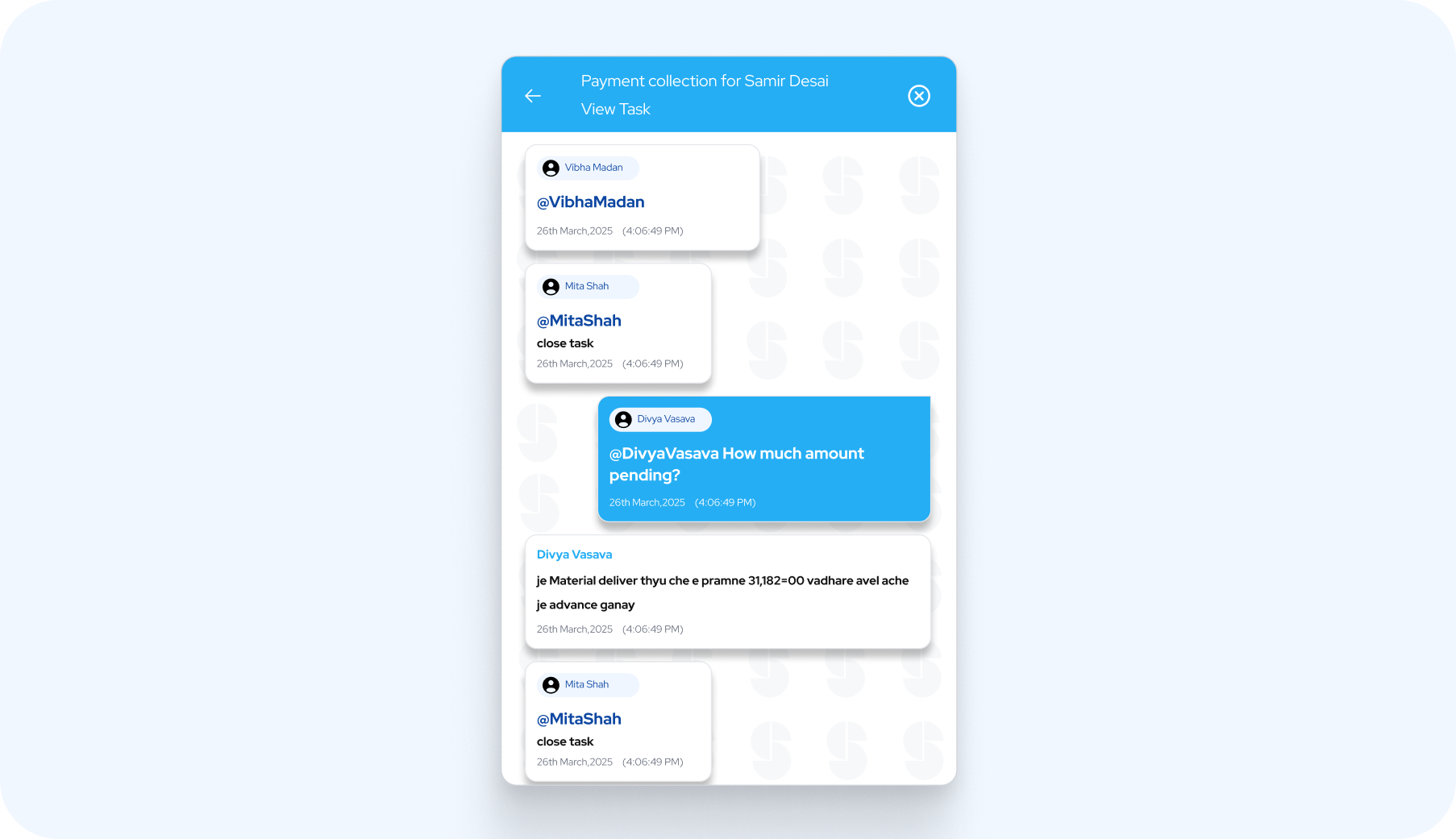
Contextual Chat
Discuss tasks directly where they happen. Team members can chat about specific work, share updates, and collaborate without switching between different apps or losing context.
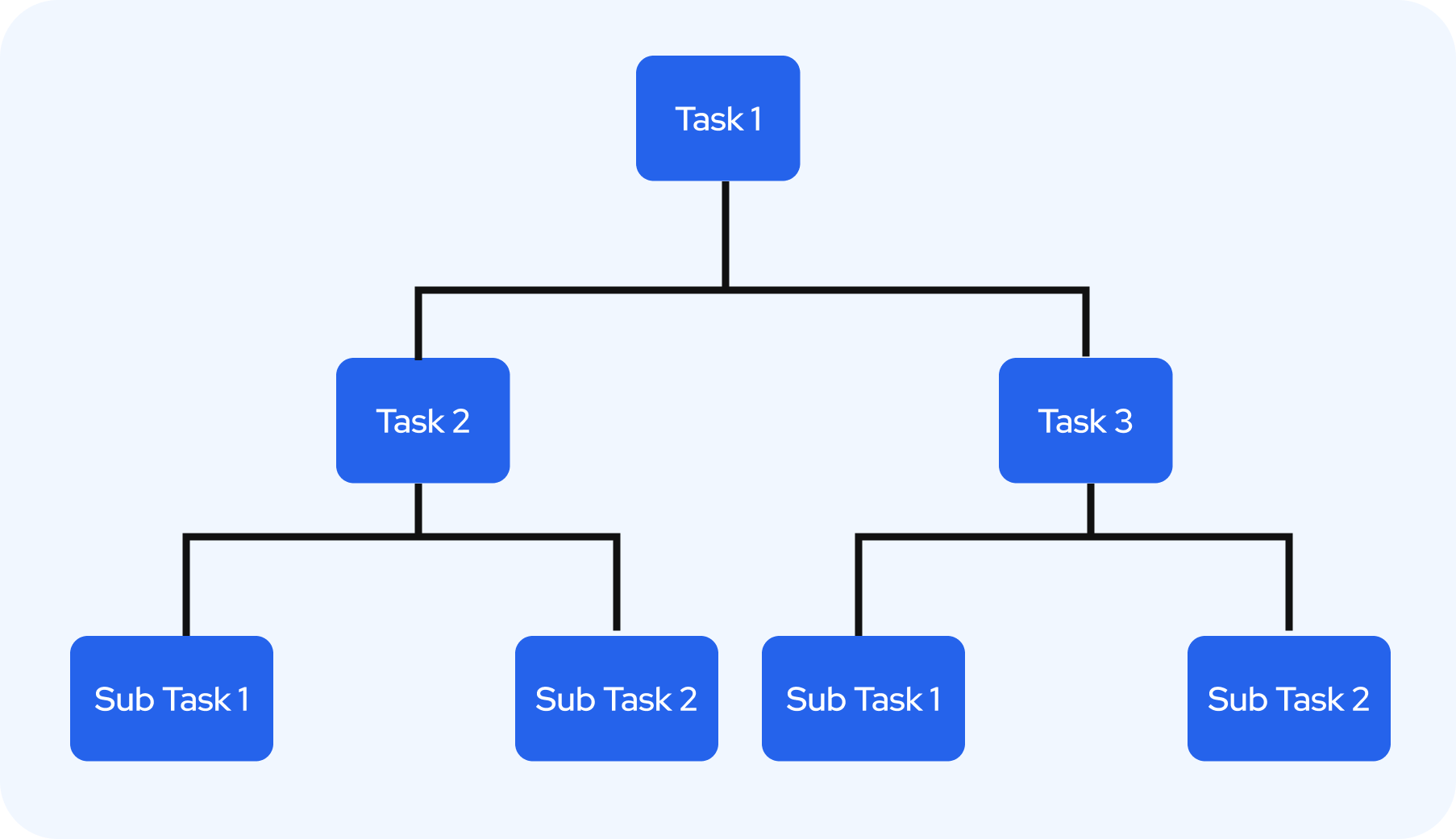
Subtasks
Break big tasks into smaller, manageable pieces. Track progress at each step and make sure nothing gets missed when handling complex work that needs multiple people.
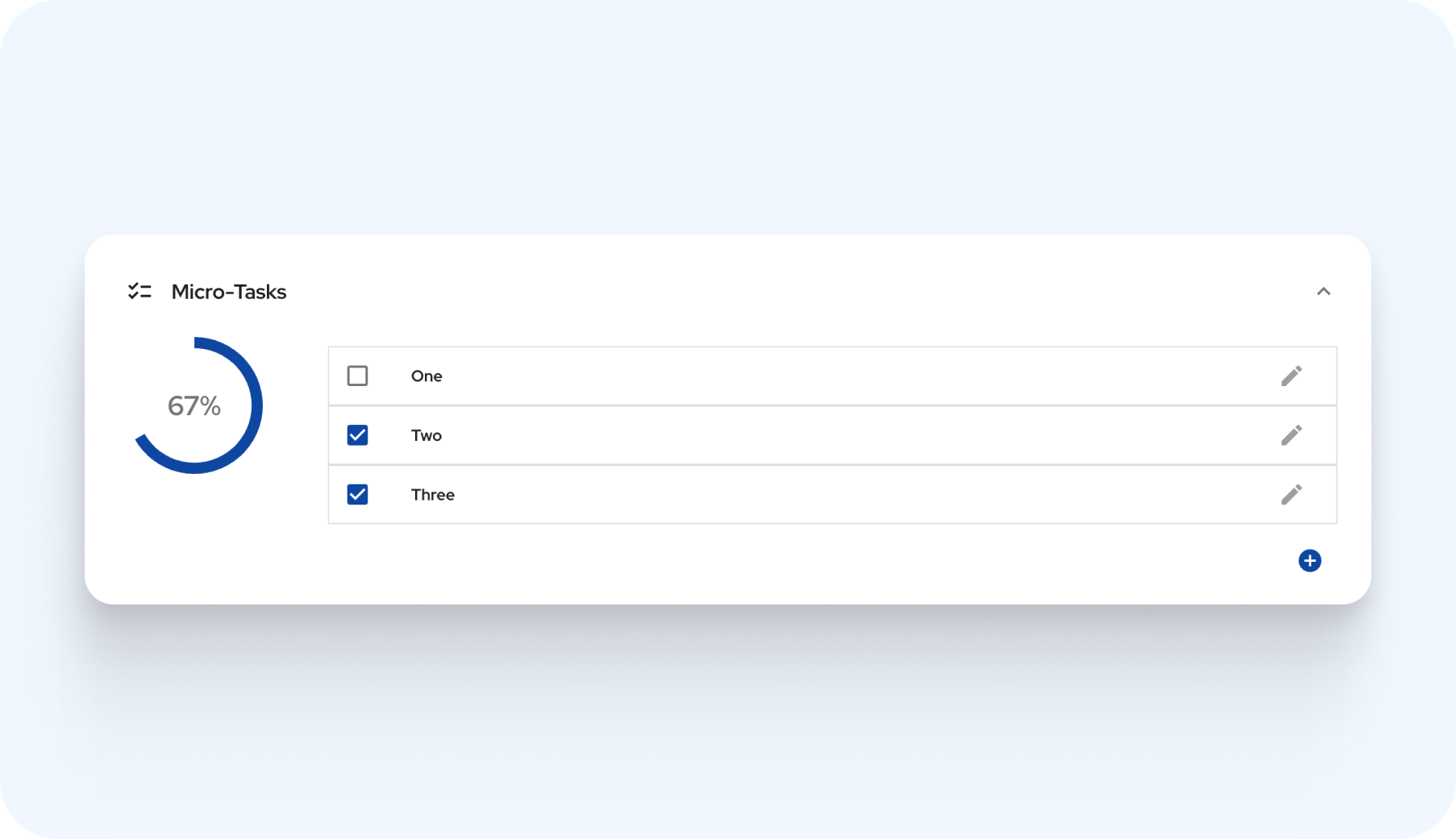
Task Checklist
Create simple checklists for tasks so nothing gets forgotten. See what's done and what's left with clear visual indicators that help maintain quality standards.
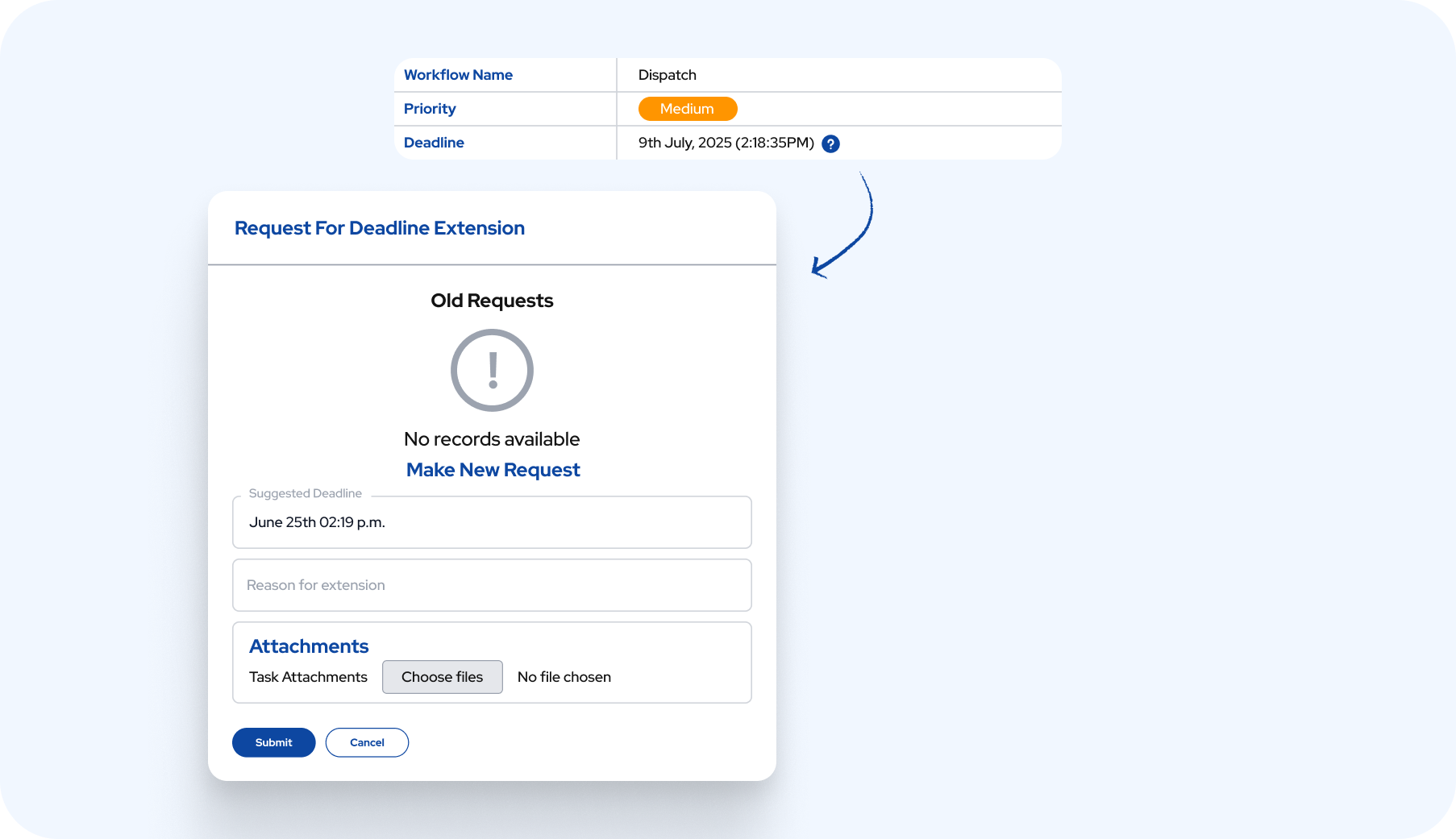
Priorities and Deadlines
Set what's urgent and what can wait. Manage deadlines effectively and request extensions when needed. Keep everyone accountable with clear tracking of what's due when.
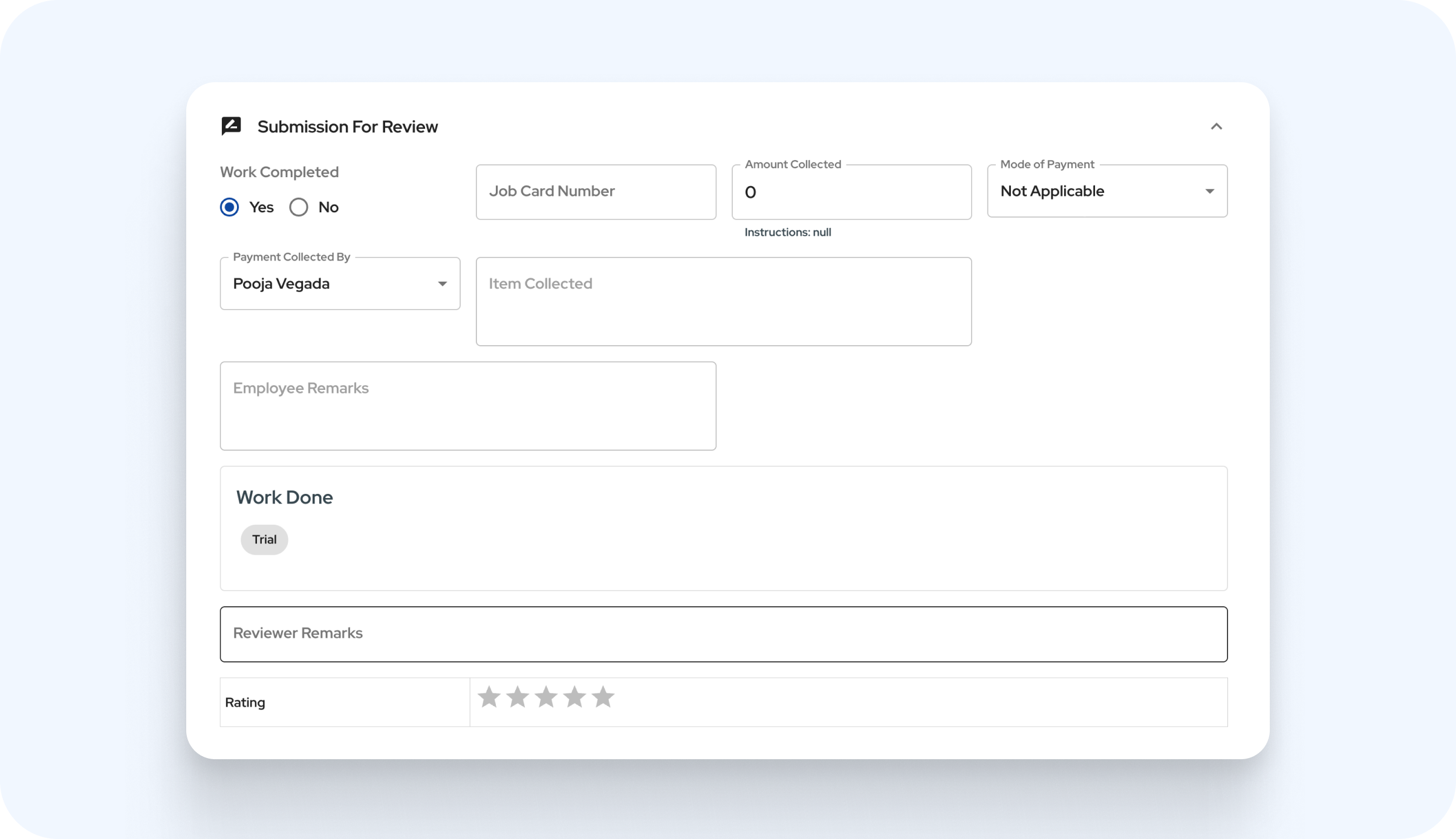
Dynamic Forms
Collect the right information for each task with forms that adapt to your needs. Track work completion and maintain proper records without the usual paperwork headache.
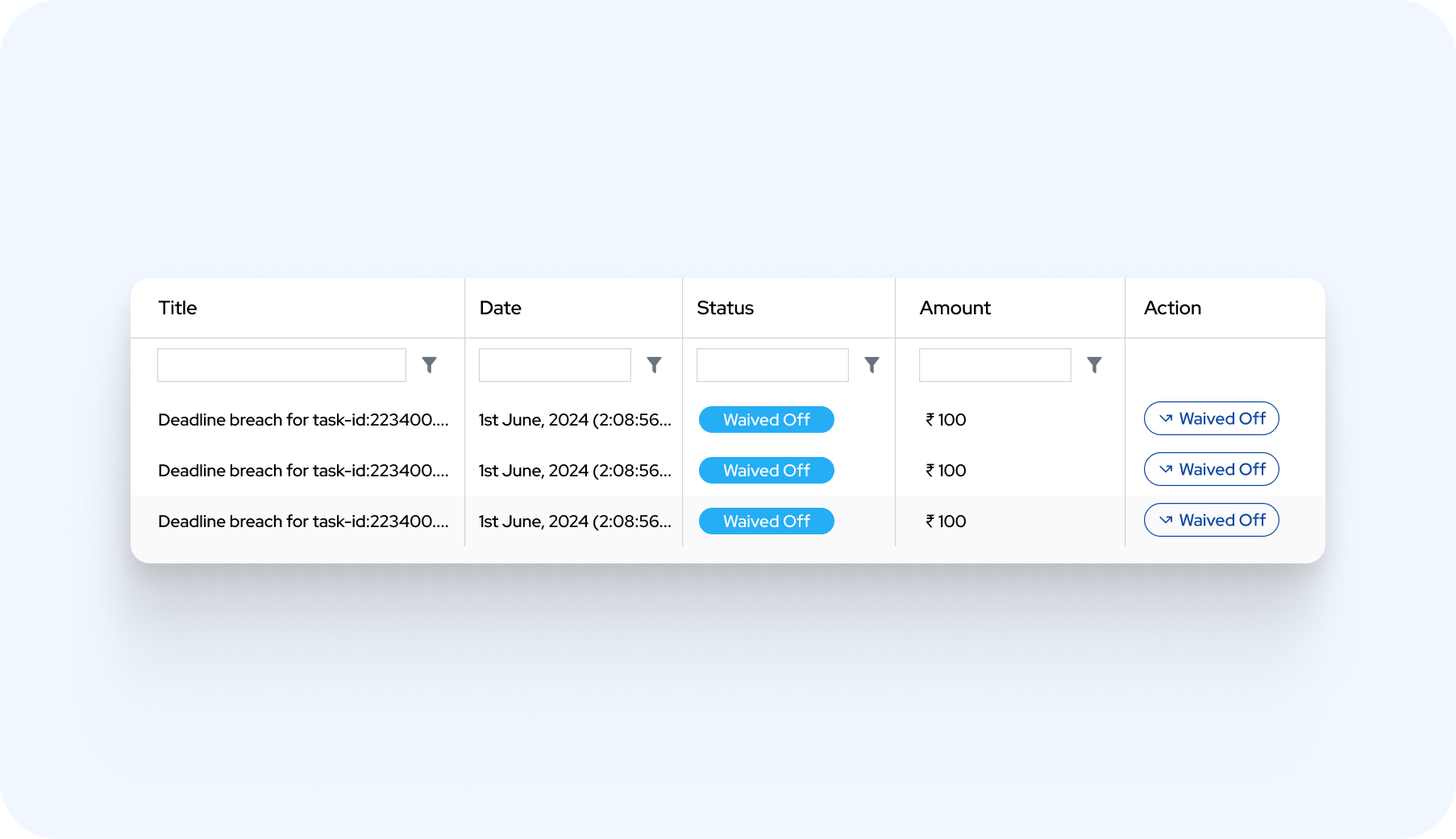
Task Based Rewards and Penalties
Motivate your team with simple rewards for good work and clear consequences for delays. Keep everyone accountable and encourage better performance through transparent tracking.
Task management FAQs
- What does the task management software do?
- It turns customer requests and internal work into tickets, each with an owner, a priority and a deadline, and tracks every one to closure.
- Where do tickets come from?
- Your team logs requests that arrive by phone, WhatsApp or email, and AMC schedules create service tickets automatically.
- How are tickets assigned?
- By department: managers pass work to department heads, who assign it to the right person, so you always know who owns what.
- Can I set priorities and deadlines?
- Yes. Every ticket has a priority and a deadline, and staff can request an extension when they need one.
- How do I know the work was done?
- Checklists show each step ticked off, and staff add photo proof from the Stagewise ERP app on Android or iOS.
Ready to Get Organized?
Book a demo and see every ticket, owner and deadline in one place.